
Battle Planner
Plan your Clash Royale strategy visually. Drag cards onto the arena, draw arrows and notes, and split your attack into steps. Share it with a link or save it as an image.
Your deck
Cycle 12 4.0 5
5 5
5 2
2 5
5 3
3 3
3 4
4 5
5Opponent deck(optional)
—Plan your attack
A new step starts as a copy of the current one: move only what changes.
Notes & tips
Preset notes
Notes, steps and both decks are all saved in the share link.
How to plan a Clash Royale attack
Four steps to a plan you can share with your clan.
- 1
Build both decks
Add your deck and, if you know it, the opponent's: tap the empty slots, paste a deck link or pick a meta deck.
- 2
Draw and note
Drag cards onto the arena, then use arrows, circles, boxes and notes for placements and timings.
- 3
Split into steps
One step per phase (single elixir, double elixir, defence) with a short description of what to do.
- 4
Save and share
Copy a share link that rebuilds the whole plan, or save the arena as an image.
The planner is a drawing board: it does not predict results. To see how decks really perform, check the meta decks tier list and the Matchup Lab.
Frequently asked questions
What is the Clash Royale Battle Planner?
A free strategy board. Pick your deck and the opponent's, place their cards on a Clash Royale arena, draw arrows, marks and notes, and split the plan into steps such as "open with Hog Rider at the bridge" and "double elixir push". It is a drawing tool: it does not predict results.
How do I share a battle plan?
Click Share link: the whole plan, both decks and every step included, is saved in the link itself, so anyone who opens it sees the same board. Nothing is stored on our servers and no account is needed. You can also save the board as an image.
Can I plan with my own deck?
Yes. Tap the empty slots to add your cards one by one (Evolutions and Heroes included), paste your deck link from Clash Royale (deck → Share → Copy link), pick one of the top meta decks, or open any deck on RoyaleDeck and click "Plan this deck". Do the same for the opponent's deck to plan a matchup.
Which arenas can I plan on?
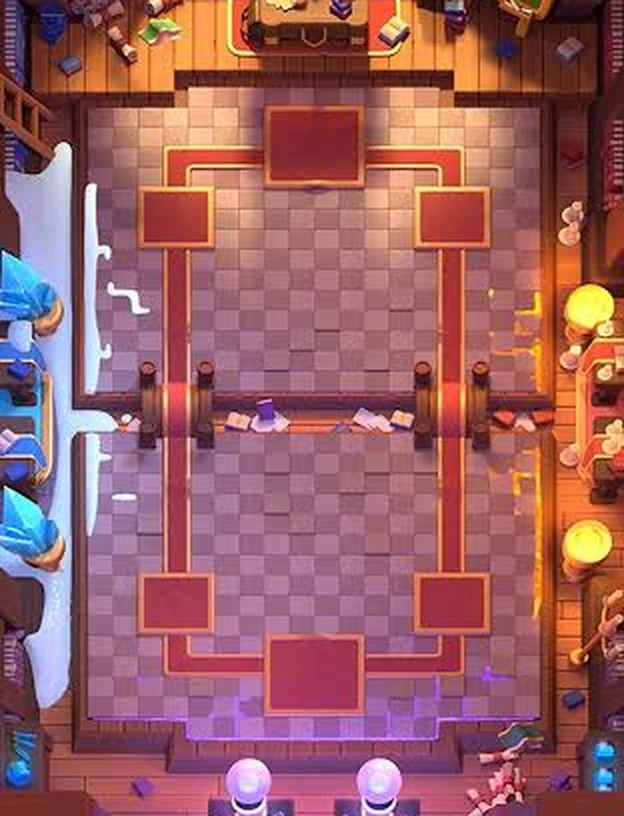
Two Clash Royale arenas (Library and Lab) or a simple drawn arena for clean diagrams. Every arena uses the game's 18 × 32 tile grid and cards snap to it; switch on the grid to see the tiles. Arena art belongs to Supercell and is used under its Fan Content Policy.
Does the Battle Planner predict battle results?
No. It is a drawing board for your own plan. To see how decks really perform, use the meta decks tier list and the Matchup Lab, which are computed from real ranked battles.
Can I use the Battle Planner on mobile?
Yes. Tap a card, then tap the arena to place it; pinch with two fingers to zoom. Plans made on a phone open the same way on a computer through the share link.